
Anthropic has introduced a feature that quietly changes what people should expect from an AI assistant.
Claude can now create interactive charts, diagrams, and visualizations directly inside the conversation. Anthropic announced the capability on March 12, 2026, describing it as an inline, in-chat feature available in beta across all Claude plan types. The company says Claude can build custom visuals as part of its response and then update them as the conversation continues.
At one level, this sounds like a product enhancement. A nicer response format. A better way to explain an idea.
But at a deeper level, this is a meaningful shift in AI interface design.
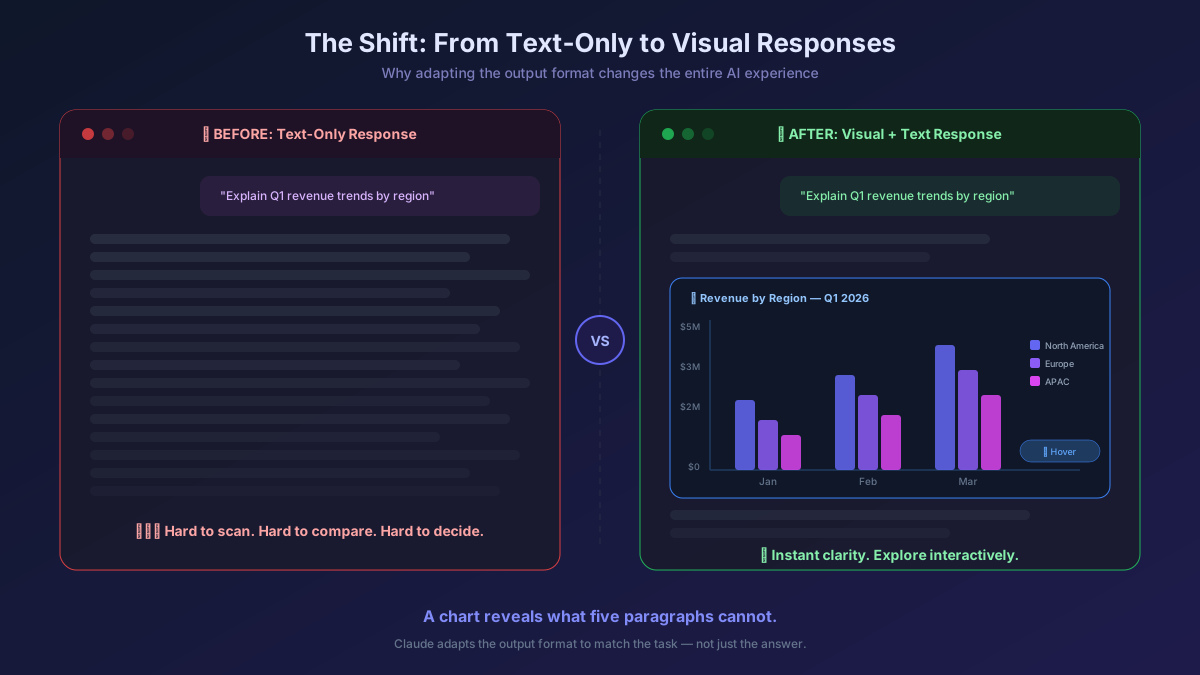
For a long time, most AI tools have been built around one dominant pattern: ask for something, receive text. Sometimes that text is useful. Sometimes it is too long. Sometimes it is technically correct but still hard to understand. Visuals change that. A process diagram can explain what five paragraphs cannot. A chart can reveal a pattern faster than a table. A comparison card can make a decision easier than a written summary. Anthropic's help documentation makes that exact point by saying Claude may generate a visual when it would explain something better than text, and users can also ask for one directly.
That is the real significance of this launch.
Claude is no longer just answering in prose. It is starting to choose a more useful explanation format.

What Anthropic Actually Launched
According to Anthropic's official announcement, Claude now creates interactive charts, diagrams, and other visualizations inline inside the conversation. These are not parked in a separate side panel. They appear within the actual flow of the chat, shaped around the user's question and modifiable through follow-up prompts. Anthropic says the feature builds on its earlier "Imagine with Claude" work and is now being brought into everyday Claude chat experiences in beta.
The support documentation adds practical detail. Users do not need to turn anything on. Claude can decide when a visual would help, or the user can ask explicitly with prompts like "draw this as a diagram," "show me how this changes over time," or "chart this data." Once the visual appears, it can be interacted with through buttons, sliders, fullscreen expansion, and follow-up refinements inside the same conversation.
This matters because the output is not merely decorative. It is functional.
A visual in this context is not there to make the response look impressive. It is there to help the user understand, inspect, and iterate faster.
What Makes This Different from a Normal Chart Feature
A lot of software products can make charts. That alone is not news.
What is different here is where the chart gets created and how it behaves.
Claude is not asking the user to open a separate dashboard tool, spreadsheet, or diagramming product. It is producing the visual inside the same thinking loop where the question began. The chart or diagram is part of the reasoning environment, not a separate destination. Anthropic also says these visuals are interactive and built using HTML rather than being static pictures, which is why they can be responsive to the user's query and updated conversationally.
That point is easy to miss, but it is important.
The more interesting story is not "Claude can make visuals."
The more interesting story is "Claude can generate lightweight interfaces inside chat."
That changes the role of the assistant from answer generator to on-demand explainer.
Claude Visuals vs Artifacts: An Important Distinction
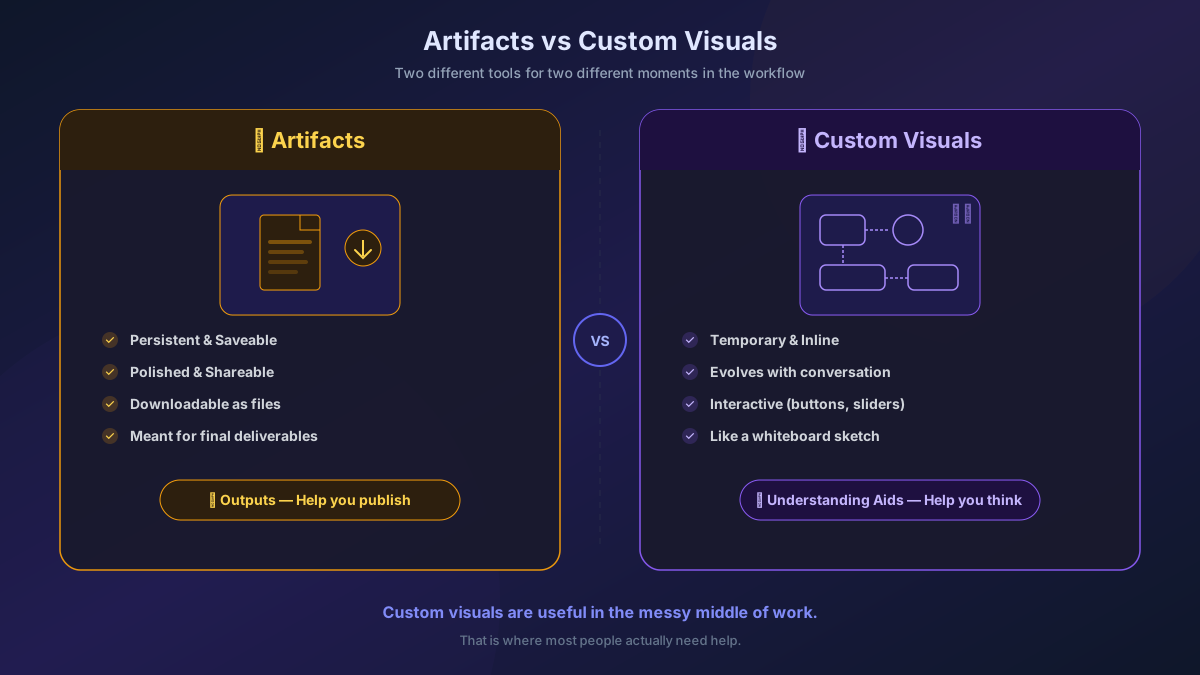
Anthropic is also clear that these visuals are different from Artifacts. Artifacts are persistent, more polished, and meant to be shared, downloaded, or developed further. The new custom visuals are temporary by default. They live inline in the conversation, evolve as the discussion evolves, and can disappear unless the user chooses to keep them. Anthropic describes them more like a whiteboard sketch than a finished file. Users can copy them as images, download them as SVG or HTML, or save them as Artifacts if they want to keep working on them.
This distinction is strategically important.
- Artifacts are outputs.
- Custom visuals are understanding aids.
- Artifacts help you publish or preserve.
- Custom visuals help you think.
That makes Claude more useful in the messy middle of work, which is usually where most people actually need help.
Where This Becomes Immediately Useful
Anthropic's documentation and launch examples point to several practical use cases.
A user can upload a CSV and ask what the data shows, and Claude can respond with an interactive chart. Someone trying to understand a process can ask for a flowchart. A user comparing choices can ask for a side-by-side visual comparison. Someone reasoning through a system or concept can ask Claude to visualize it rather than describe it abstractly. Anthropic's own examples include things like compound interest and the periodic table, while media testing highlighted playful but revealing demos such as a coffee ratio calculator and animated explainers.
That range is actually a strength.
It shows the feature is not limited to one domain like finance, analytics, or education. It can be useful anywhere explanation benefits from form, not just text.
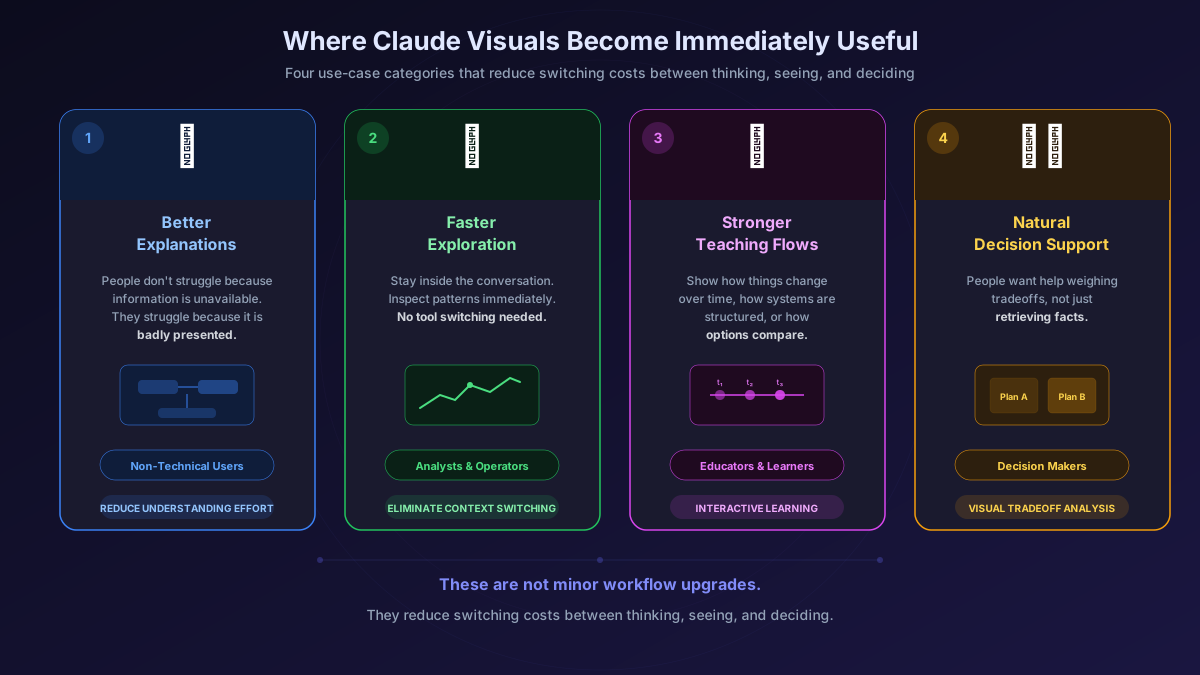
Here are the bigger use-case buckets:
1. Better Explanation for Non-Technical Users
Most people do not struggle because information is unavailable. They struggle because it is badly presented. An inline diagram or interactive comparison can dramatically reduce the effort required to understand a concept.
2. Faster Exploration for Analysts and Operators
Instead of moving from question to spreadsheet to charting tool, a user can stay inside the conversation and inspect a pattern immediately.
3. Stronger Teaching and Learning Flows
Interactive visuals are often better than text for showing how something changes over time, how a system is structured, or how options compare.
4. More Natural Decision Support
People often want help weighing tradeoffs, not just retrieving facts. Visual comparison formats are well suited to that.
These are not minor workflow upgrades. They reduce switching costs between thinking, seeing, and deciding.
Why the Market Reacted So Quickly
The coverage around the launch is a signal in itself.
This was picked up quickly by major outlets including The Verge, TechRadar, Engadget, eWeek, The Register, and others. The Verge framed it as Anthropic adding charts, diagrams, and visuals directly into Claude responses, while also noting that competing AI products are moving in a similar direction with more interactive educational or explanatory interfaces. TechRadar's hands-on coverage focused on how playful and usable the feature already feels in practice.
That breadth of coverage usually means the story is bigger than the feature description.
The market is not only reacting to "visuals in chat."
It is reacting to the idea that chat products are becoming dynamic work surfaces.
That is a bigger category story.
What This Tells Us About Where AI UX Is Heading
This launch matters because it points to a broader transition in AI product design.
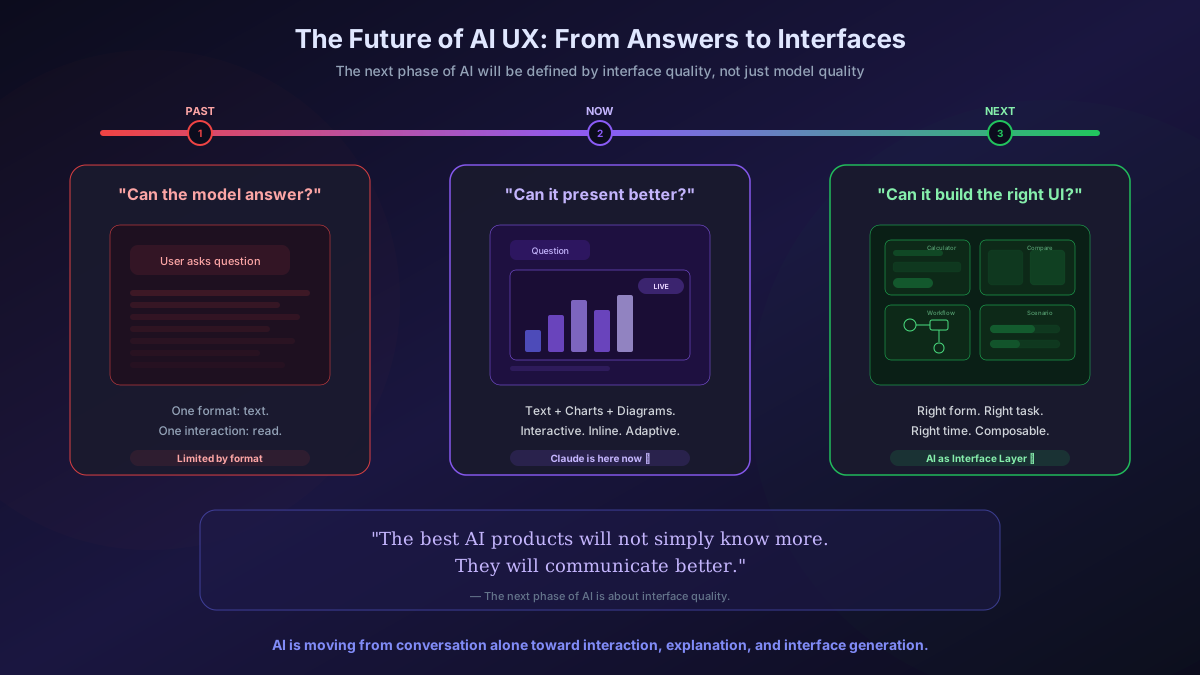
For the last phase of AI, the main question was: Can the model answer?
Now the question is becoming: Can the product present the answer in the best possible form?
That is a very different challenge.
The strongest AI experiences in the next phase will not rely on one response format. They will adapt. Sometimes the best output will be a paragraph. Sometimes it will be a checklist. Sometimes it will be a chart, a diagram, a mini calculator, a scenario model, or a guided comparison.
Claude's new visuals point directly at that future.
They suggest that AI interfaces are becoming more fluid, more contextual, and more composable. Instead of forcing every problem into text, the assistant can create a small purpose-built surface for the task at hand.
That is a major usability shift.
What Businesses and Product Teams Should Pay Attention To
If you build products, services, education flows, analytics tools, or internal knowledge systems, this launch is worth paying attention to for three reasons.
First, it changes user expectations. Once people get used to an assistant that can show instead of only tell, plain-text answers will feel weaker in many contexts.
Second, it reduces the need for tool switching. That matters in real workflows because a lot of friction comes from moving across tabs, products, and formats just to understand one thing.
Third, it strengthens the case for AI as an interface layer, not just an assistant layer. That means product teams should start thinking beyond prompt-response mechanics and into interface generation, dynamic explanations, and adaptive output formats.
This is especially relevant for teams building AI into SaaS products. If the agent or assistant can create the right explainer, visual, or comparison in context, then the value of the experience increases without always needing a human-designed screen for every edge case.
The Limitations Matter Too
The feature is promising, but it is not without constraints.
Anthropic says custom visuals are currently in beta, available on Claude web and desktop only, and do not render on iOS, Android, or Cowork sessions. The company also notes that visuals are not automatically saved, the quality and complexity will vary, and Claude may not always generate a visual when users expect one. Anthropic further recommends using a more capable model like Opus for more complex visualization tasks.
These limitations are important because they remind us what the feature is today: a strong direction, not a finished universal visual layer.
So this should not be overhyped as a replacement for design tools, BI platforms, or serious analytical software.
But it does not need to replace those tools to be important.
It only needs to make the first layer of understanding dramatically easier.
And it looks increasingly capable of doing exactly that.
The Real Takeaway
The most valuable way to understand this launch is not as "Claude now makes charts."
It is better understood as:
Claude can now create interactive explanation surfaces inside chat.
That sounds more technical, but it is much closer to what is actually happening.
This is why the update feels meaningful. It reduces the gap between asking a question and seeing the answer in a form that is easier to grasp, test, and refine.
That makes the assistant more useful.
That makes the product feel more intelligent.
And that makes chat feel less like a box for text and more like an adaptive workspace.
Final Thought
The next phase of AI will not be defined only by model quality.
It will also be defined by interface quality.
The best AI products will not simply know more. They will communicate better. They will generate the right form for the right task at the right time.
Anthropic's Claude is moving in that direction with interactive charts, diagrams, and visualizations.
And that is why this launch matters more than it first appears.
Claude's new visuals are not just a feature update. They are a sign that AI is moving from conversation alone toward interaction, explanation, and interface generation.