
Why a Focused Technical Issue Can Stay in One Codex Chat
Codex already supports agents and subagents. But a focused technical issue does not always need a multi-agent workflow.
For smaller fixes, one structured Codex conversation can be enough—as long as the chat does not stop after producing code.
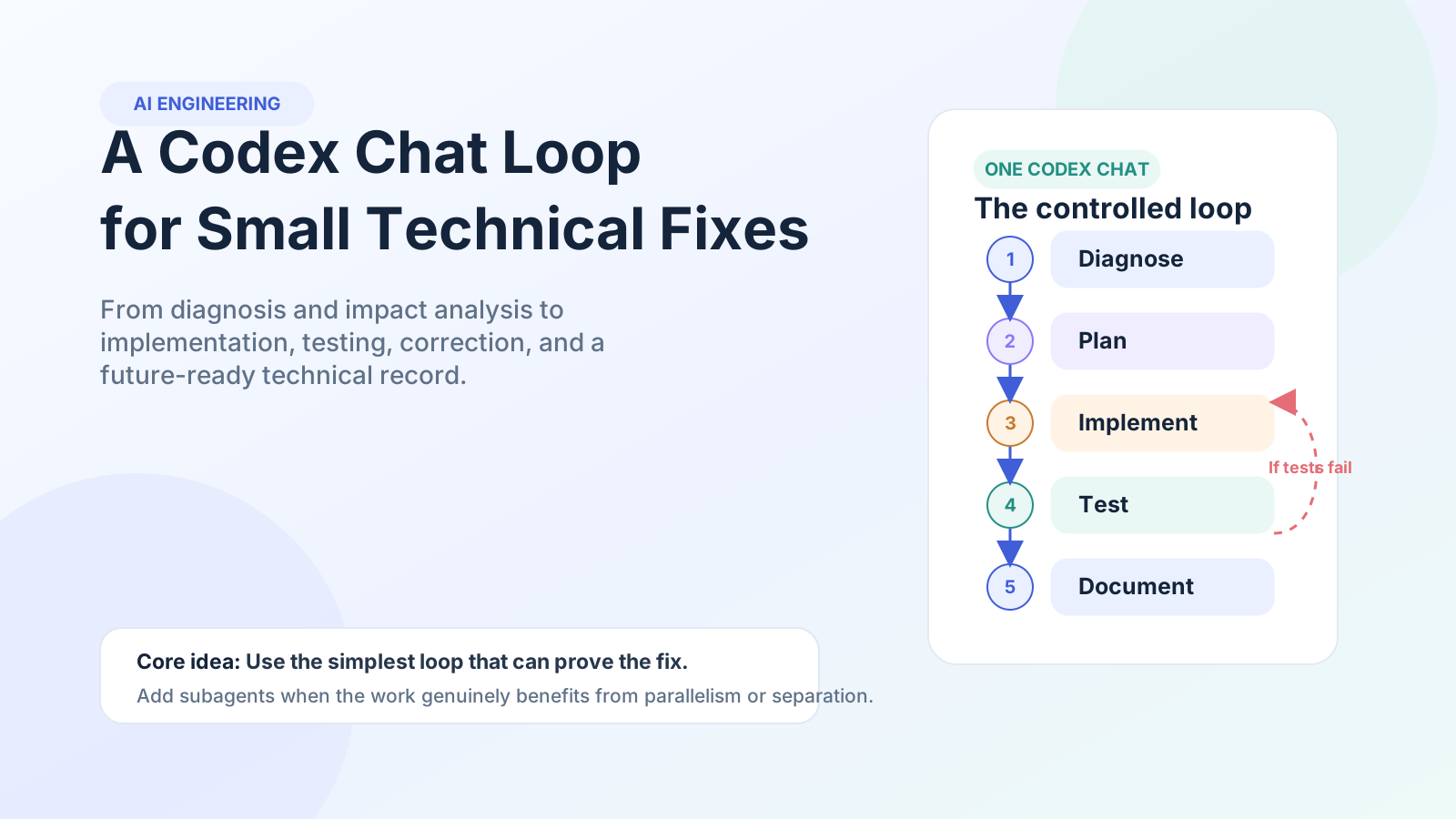
I used a continuous loop that moved through diagnosis, consequence analysis, plan validation, implementation, local execution, testing, correction, and final documentation.
The Codex Chat Loop at a Glance
Diagnose → Map impact → Validate the plan → Implement → Test → Correct → Retest → Document
The purpose of the loop was simple: Codex could continue working, but it could not call the issue complete until the result was verified.
Why I Used One Continuous Chat Instead of More Agents
Subagents are useful when independent tasks can run in parallel—for example, when separate agents can inspect frontend, backend, security, or test coverage at the same time.
A small technical issue is often different. The work is tightly connected and mostly sequential:
- The diagnosis determines the plan.
- The plan determines the code change.
- A failed test can change the diagnosis.
- The final documentation depends on the complete reasoning trail.
Keeping that work inside one chat preserves the context and avoids unnecessary handoffs. The goal is not to avoid agents. It is to start with the simplest workflow that can reliably prove the fix.
The Workflow: From Technical Brief to Verified Resolution
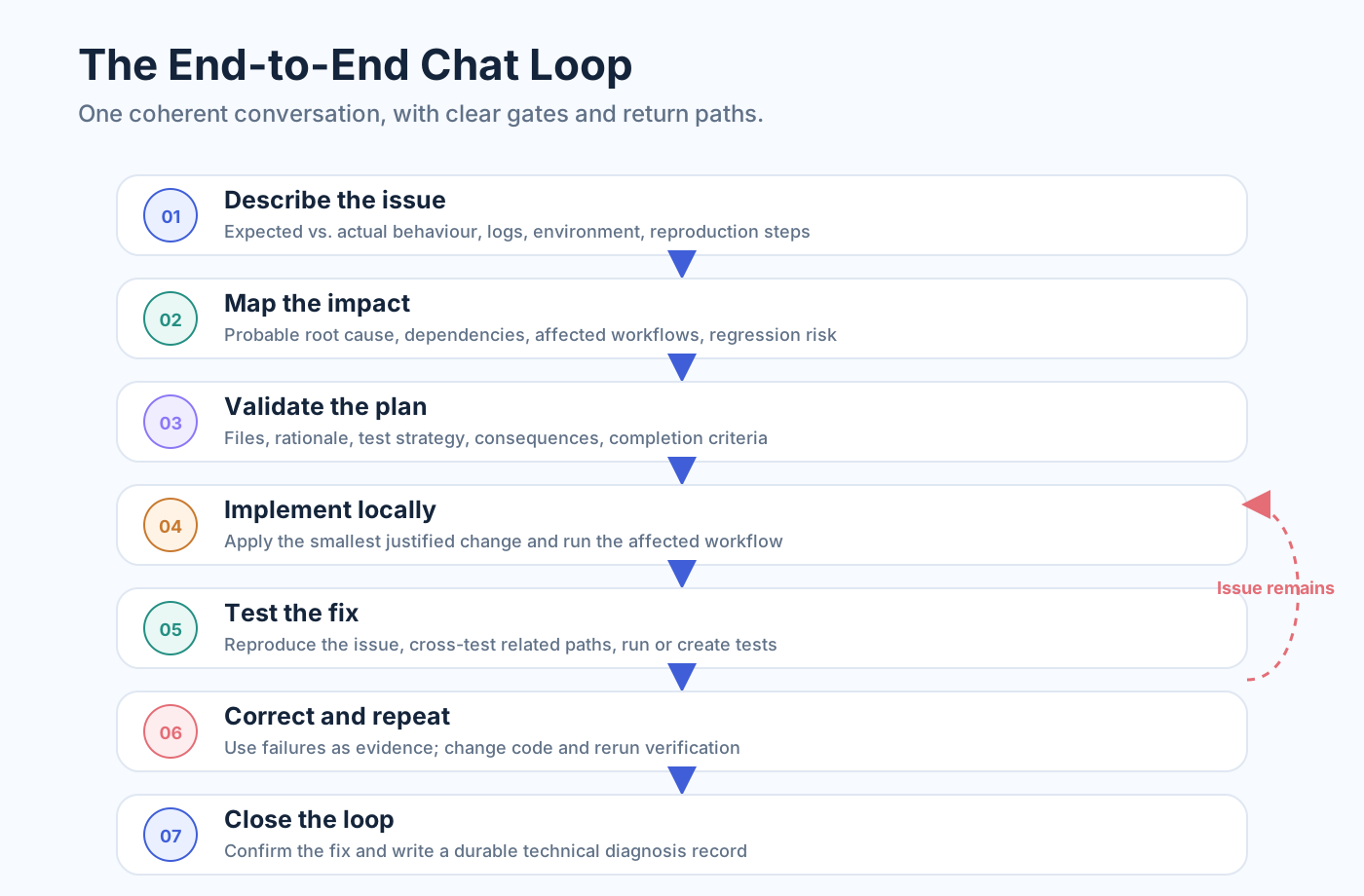
1. Turn the Issue Into a Reproducible Technical Brief
I did not begin with “fix this bug.” I first described the technical issue in enough detail for Codex to investigate it:
- Expected and actual behaviour
- Steps to reproduce the problem
- Logs, errors, or simulator output
- Environment and configuration details
- Related modules, APIs, screens, or services
- Recent changes that may be connected
Codex then inspected the relevant code and developed a probable explanation of the issue. A plausible code change is not the same as a correct diagnosis. The first stage should establish what is happening, where it is happening, and what evidence supports the suspected cause.
2. Map the Consequences Before Touching the Code
The next step was consequence analysis. Codex had to identify more than the obvious file. It also had to consider connected behaviour such as shared logic, API contracts, application state, database operations, permissions, integrations, and related user paths.
This created a wider view of the issue before implementation began.
3. Make the Plan Earn the Right to Execute
Once Codex understood the issue and its likely impact, it generated an implementation plan. But the plan did not immediately become permission to change code.
Generate → Review → Find gaps → Improve → Review again
The plan needed to identify:
- The probable root cause and supporting evidence
- The files or modules likely to change
- Why each change was required
- Possible side effects and regression risks
- Existing tests to run and missing tests to create
- The conditions that would prove the issue was resolved
When the plan was vague or based on an unverified assumption, Codex had to inspect the code again and improve it.
4. Implement the Smallest Fix the Evidence Supports
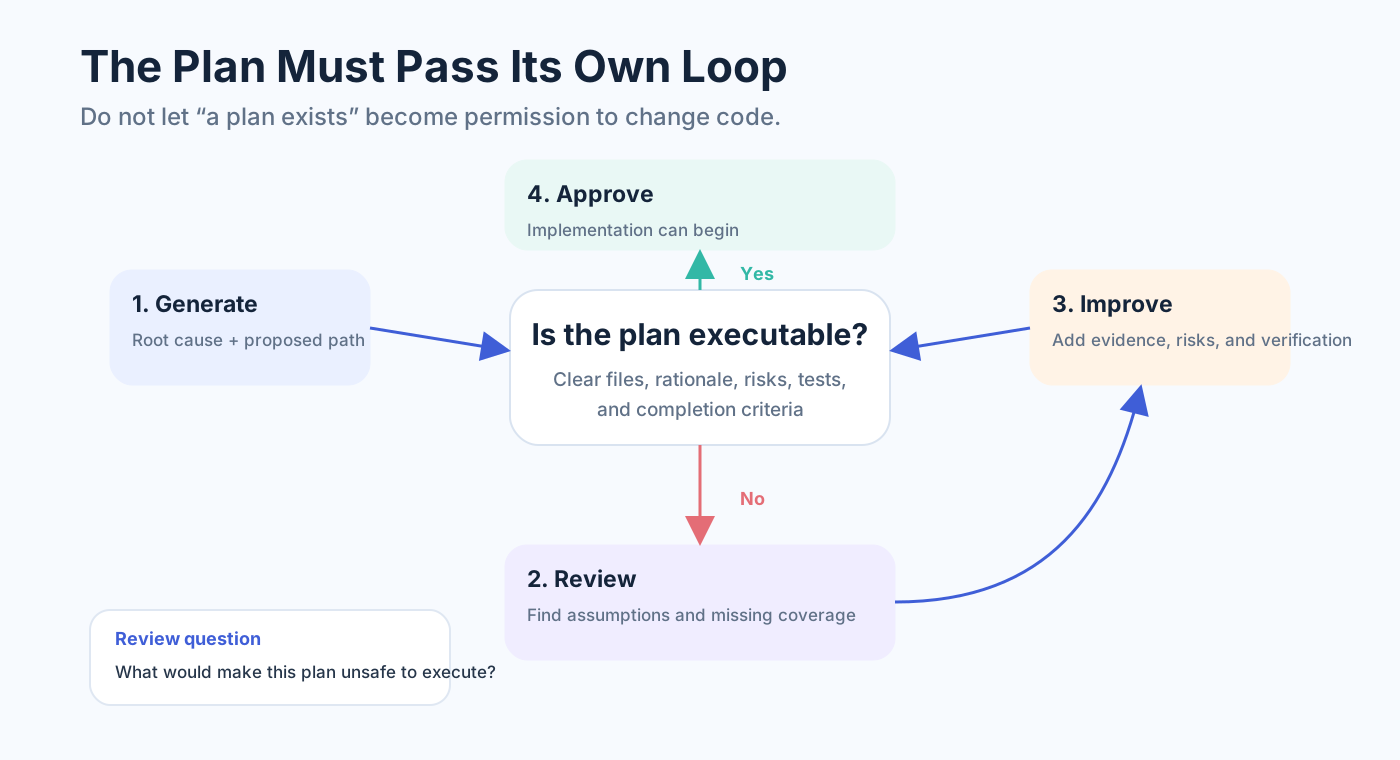
After the plan was ready, Codex implemented the smallest justified change and ran the affected application, service, module, or simulator locally.
The code change was treated as a hypothesis:
This change should resolve the identified cause without breaking connected behaviour.
5. Let Local Execution Challenge the Fix
Codex then reproduced the original scenario and compared the result with the expected behaviour. When the issue remained, the loop continued. The new error, log, or failed behaviour became additional evidence.
6. Keep the Loop Running Until Testing Proves the Fix
Resolving the original scenario once was not enough. Codex also cross-tested:
- Normal and valid behaviour
- Invalid inputs and failure handling
- Relevant edge cases
- Connected workflows
- Possible regression areas
When suitable automated tests already existed, Codex ran them. When the required coverage was missing, it generated test cases, executed them, inspected failures, and continued the correction loop.
Test → Inspect failure → Correct code → Retest
The stopping condition was not “the code compiles.” The issue was complete only when the original problem could no longer be reproduced, the expected behaviour was confirmed, relevant tests passed, and no critical regression was found.
7. Turn the Resolution Into Reusable Engineering Context
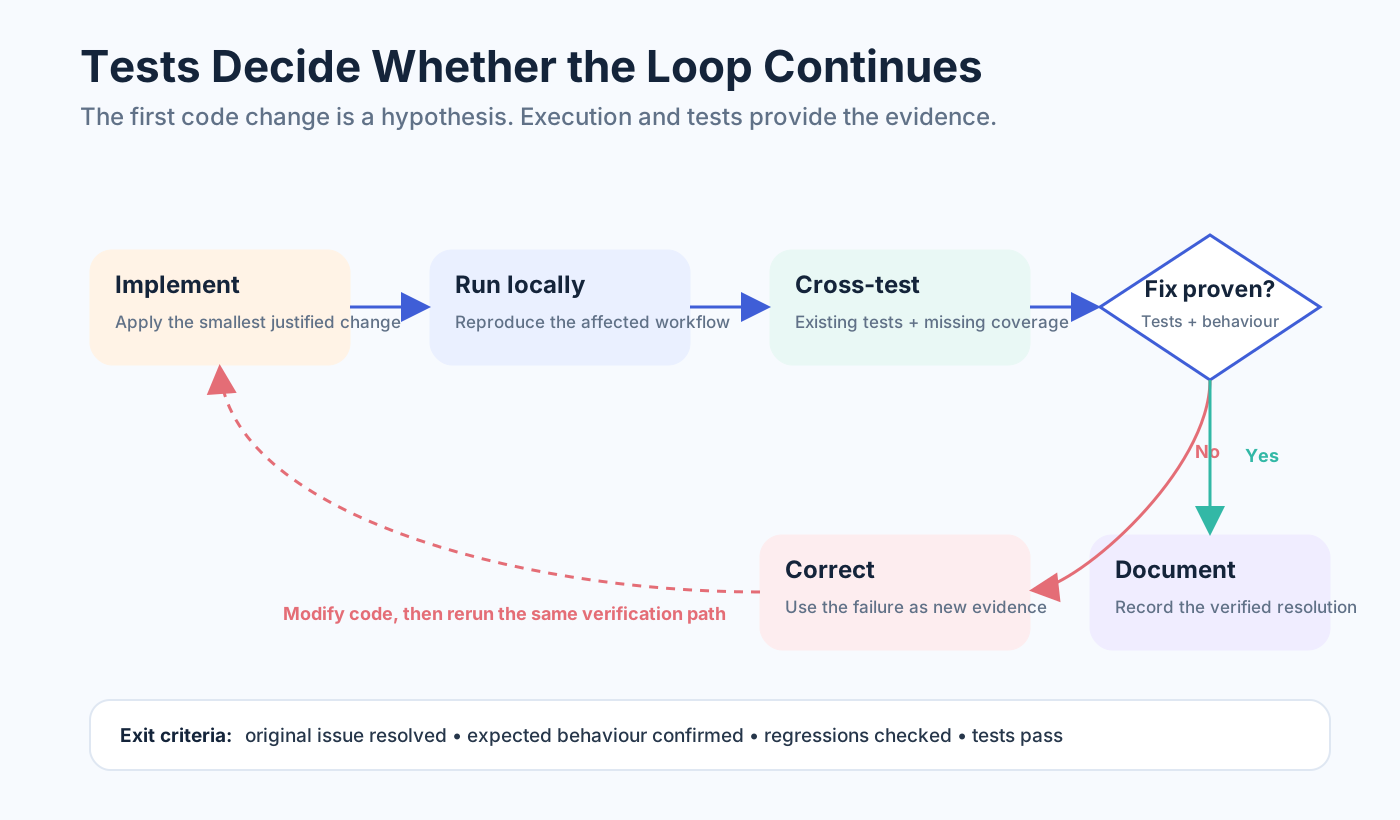
After the fix was verified, Codex created a technical diagnosis file containing:
- The original issue and reproduction conditions
- The identified root cause
- Files changed and the reason for each change
- Tests created, updated, and executed
- Cross-testing and final verification results
- Possible consequences and remaining risks
- Notes that could help diagnose a similar issue later
This final step turned a long chat history into durable project knowledge. The conversation helped complete the work. The diagnosis file made the outcome reusable by another developer or a future Codex session.
When One Chat Loop Is Enough—and When Subagents Are Better
A single Codex chat loop works well when the issue is focused, sequential, locally testable, and dependent on shared context.
Agents or subagents become more useful when the work contains independent modules, benefits from parallel investigation, requires isolated context or permissions, or needs an independent reviewer.
The decision should not be based on which approach sounds more advanced. It should be based on the shape of the work.
The Finish Line Is a Verified and Explainable Fix
My main learning was that Codex became more useful when I stopped treating it as a tool that only generates the next code change.
Understand the problem → Plan the fix → Execute it → Test it → Correct failures → Preserve the result
The loop did not remove engineering review. It made the process easier to supervise, verify, and reuse.
Before creating more agents, start with a simpler question:
Can one well-designed Codex loop resolve and prove this technical fix?